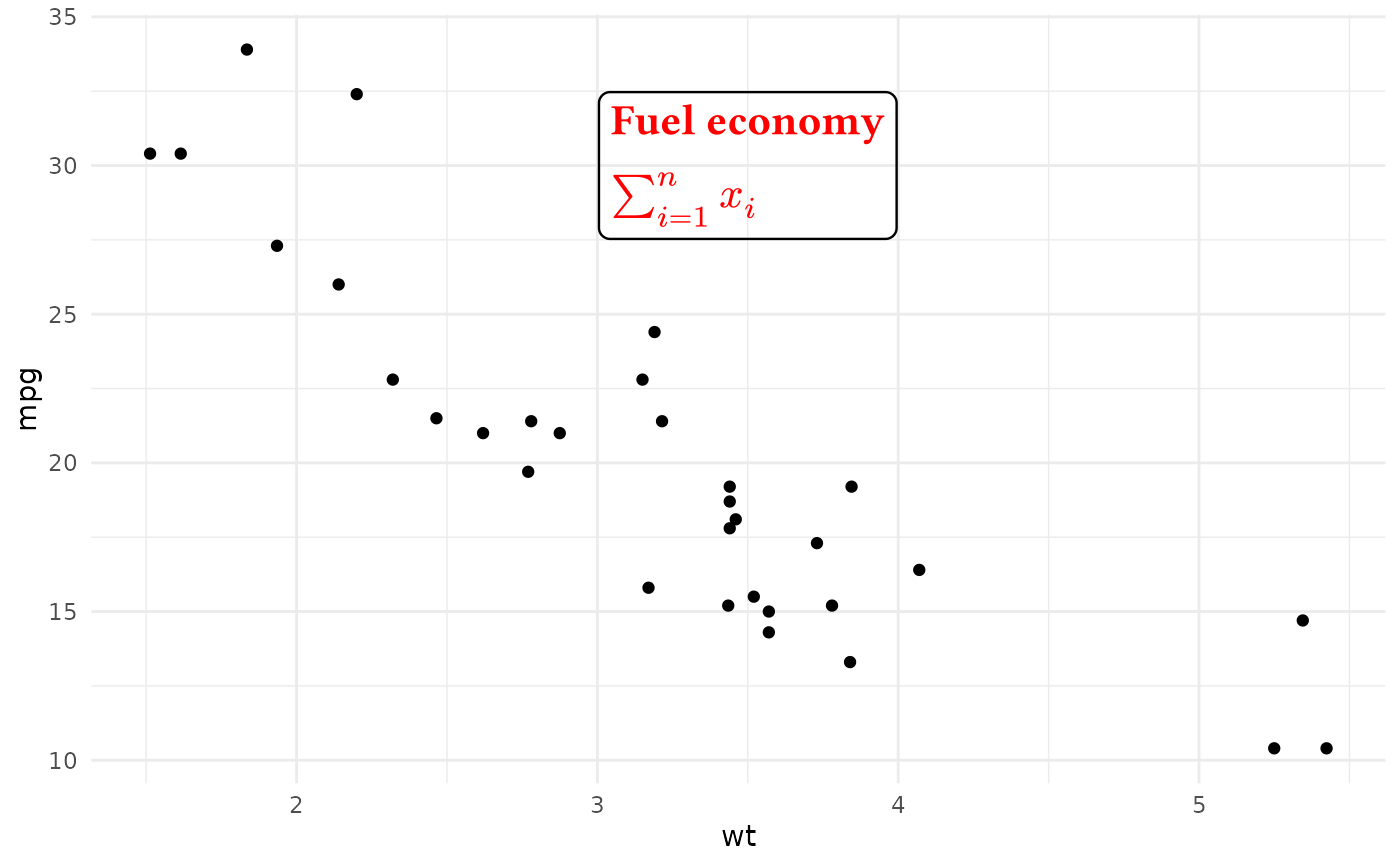
annotate_typst() is a more powerful replacement for ggplot2::annotate() that
renders a single Typst string and inserts that grob into a ggplot2 plot.
Use it when you want one manually positioned note, callout, or mixed text-and-math label.
Usage
annotate_typst(
  typst_code,
  x,
  y,
  ...,
  hjust = 0.5,
  vjust = 0.5,
  scale = 1,
  size = NULL,
  size.unit = "pt",
  color = NULL,
  colour = NULL,
  alpha = NULL,
  face = NULL,
  fontface = NULL,
  angle = NULL,
  lineheight = NULL,
  family = NULL,
  math_family = NULL
)
Arguments
- typst_code
A single Typst source string to render.
- x, y
The annotation position in data coordinates.
- ...
Must be empty. This reserves the argument position after the required inputs so all following optional arguments must be named.
- hjust, vjust
Horizontal and vertical justification for the rendered grob (
0= bottom,0.5= center,1= top).- scale
A positive scaling factor applied to the rendered Typst size.
- size
Optional text size.
- size.unit
The unit of
size. Defaults to points ("pt"). Use"mm"for ggplot2-style text sizes.- color, colour
Optional text color. RGB or color name are supported.
- alpha
Optional color alpha multiplier in
[0, 1].- face, fontface
Optional text face:
"plain","bold","italic", or"bold.italic".- angle
Optional text rotation angle in degrees.
- lineheight
Optional line height value. May be negative.
- family
Optional text font family. The family must be available to Typst. If
NULLor not found, the default family will be used. If you want to show specific languages or characters (e.g., Chinese, Japanese, emoji), you may need to set this.- math_family
Optional font family for math content. The default math font is
New Computer Modern Math. To render a math expression, you don't need to set this and even don't need to haveNew Computer Modern Mathinstalled on your system. Typst has embedded this font by default.